GTS

A smoother stay starts here.
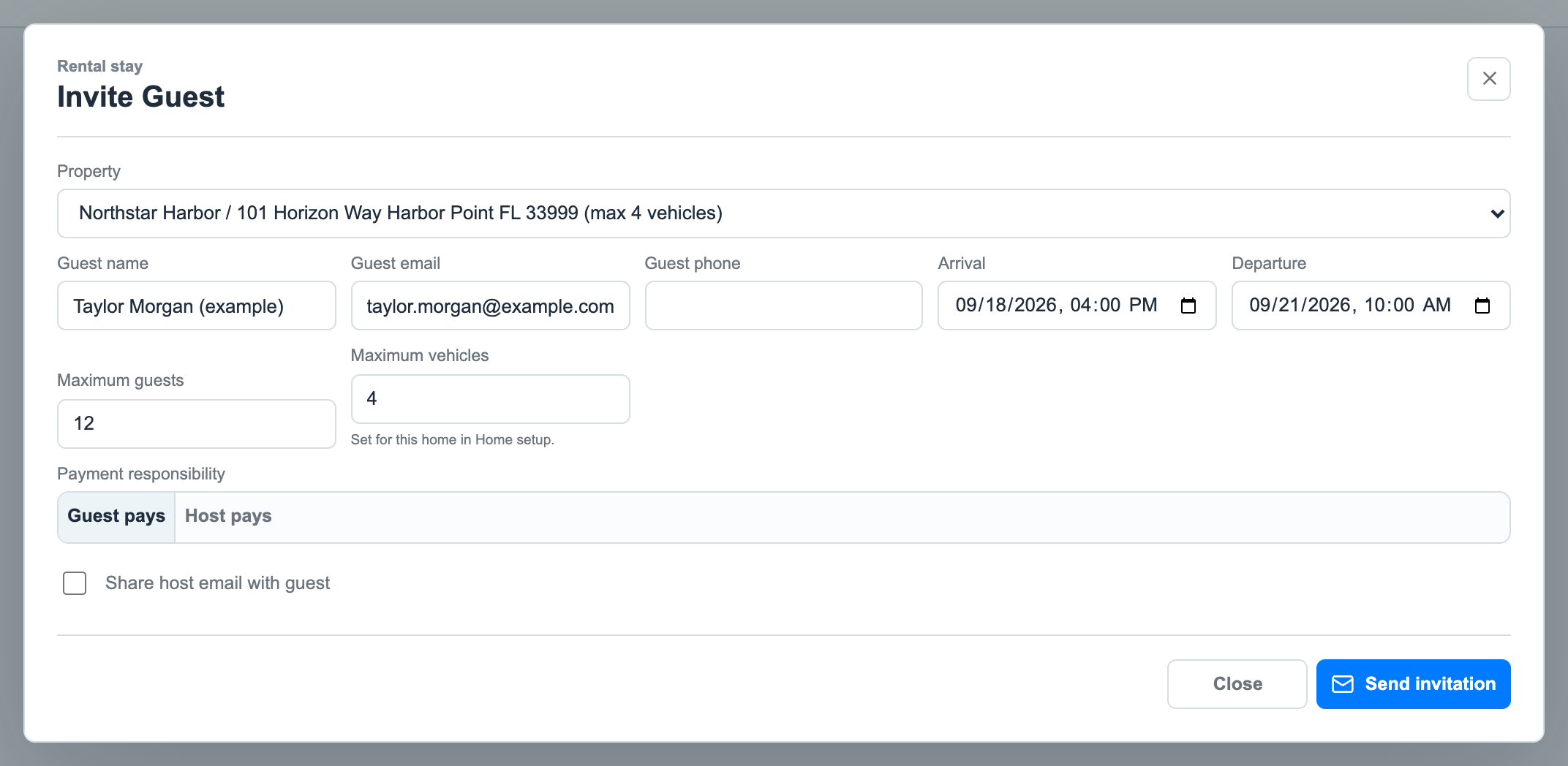
Before a rental guest reaches the gate, their host can help them get ready. Homeowners manage rentals, personal guests and vendors in the ZUUL app. Rental companies manage the homes they represent. Guests register in advance, so the gate team has their information when they arrive.
01 / Invite
The homeowner or rental manager sends a registration link. Where printed invitations are offered, guests can scan the QR code instead. Both open the registration page in a browser.
02 / Prepare
Guests enter their contact and vehicle details, confirm their phone number or email as requested, and review the community rules and any required renter training.
03 / Arrive
After guests complete registration, required acknowledgements and any payment, they receive their entry pass. The invitation link or QR code starts registration; the entry pass is what they use at the gate.
Help your team welcome each rental guest.
When a rental guest arrives, the officer can find the home they are visiting, their stay dates and registered vehicles. Community managers can review those same records to answer questions about rental activity.
Add Paid Passes to collect rental-entry fees, Amenity Management to check guests into shared facilities, or LPR Entry to admit authorized vehicles by their license plate.
Short Term Rental Management and these options are separately licensed.
Example: a homeowner or rental manager sets the stay dates and guest limits before sending this invitation.