 GTS
GTSCenturion CT-2 Kiosk
Automated entry, remote assistance and resident calling at one entrance.
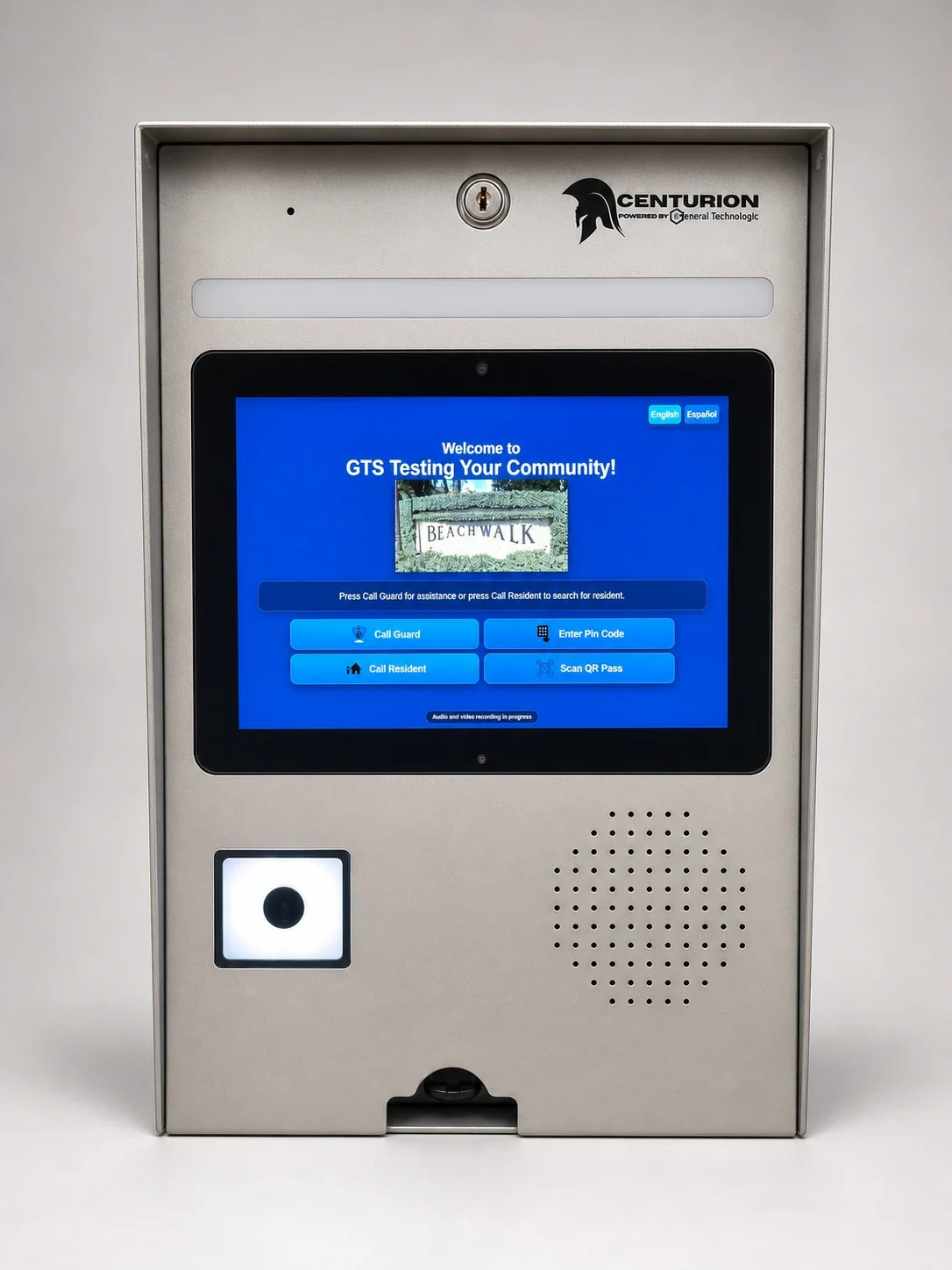
At an equipped entrance, visitors can scan a pass, speak with a remote officer or call a resident, depending on the options your community selects. The kiosk helps process the arrival and record the visit without requiring an officer to be physically at the gate.
Scan a pass and keep moving
The visitor presents the QR code on their pass to the kiosk. The system checks whether that pass allows entry under the community's rules. Optional license plate recognition (LPR) Entry offers another route: an authorized vehicle can enter using its registered plate.
Bring a capable officer to the entrance remotely
From the Centurion Remote Guarding screen, a remote officer can find the destination resident, process the visitor, review ID and plate information and operate authorized gate controls. Live camera views around the gatehouse and recent entrance activity help the officer understand what is happening while assisting the visitor.
Choose full-time, overnight or peak-hour remote guarding, or add remote support alongside onsite staff.
Let the resident answer
With the optional resident directory, the visitor selects a resident at the kiosk and calls their ZUUL app. The resident can see video from the entrance; the visitor does not see video from the resident's phone. Both can speak and hear each other. The resident can allow or deny entry, and the decision is recorded in the visitor log.
Configured phone fallback or remote assistance provides additional options when the resident cannot answer in the app.
One entrance, several ways to help
Choose QR entry, remote guarding and resident-directory calling individually or together. Supported ID and plate capture can provide searchable details and images for the visitor record. Your selected kiosk, cameras and services determine which options are available at each entrance.