GTS

Make more of community life.
From booking a court to bringing a guest to the pool, ZUUL helps residents plan their visit and attendants welcome the right people. Residents can request, view and cancel reservations in the app or on the web. Your community decides which spaces can be reserved, when guests may visit and whether a booking needs approval.
01 / Plan a visit
For reservable amenities, residents choose a date and time within community rules. Staff can set availability, duration and capacity limits, and require approval before a booking is confirmed.
02 / Bring a guest
Where community policy allows, residents can arrange amenity passes for guests. Set access dates, eligible facilities and guest limits. Optional Paid Passes can collect a fee when your community charges for access.
03 / Welcome and check in
The attendant scans a pass or looks up the resident, guest or renter, checks eligibility and records their visit. Managers can search attendance records to understand how facilities are being used and answer questions later.
Your amenities. Your community rules.
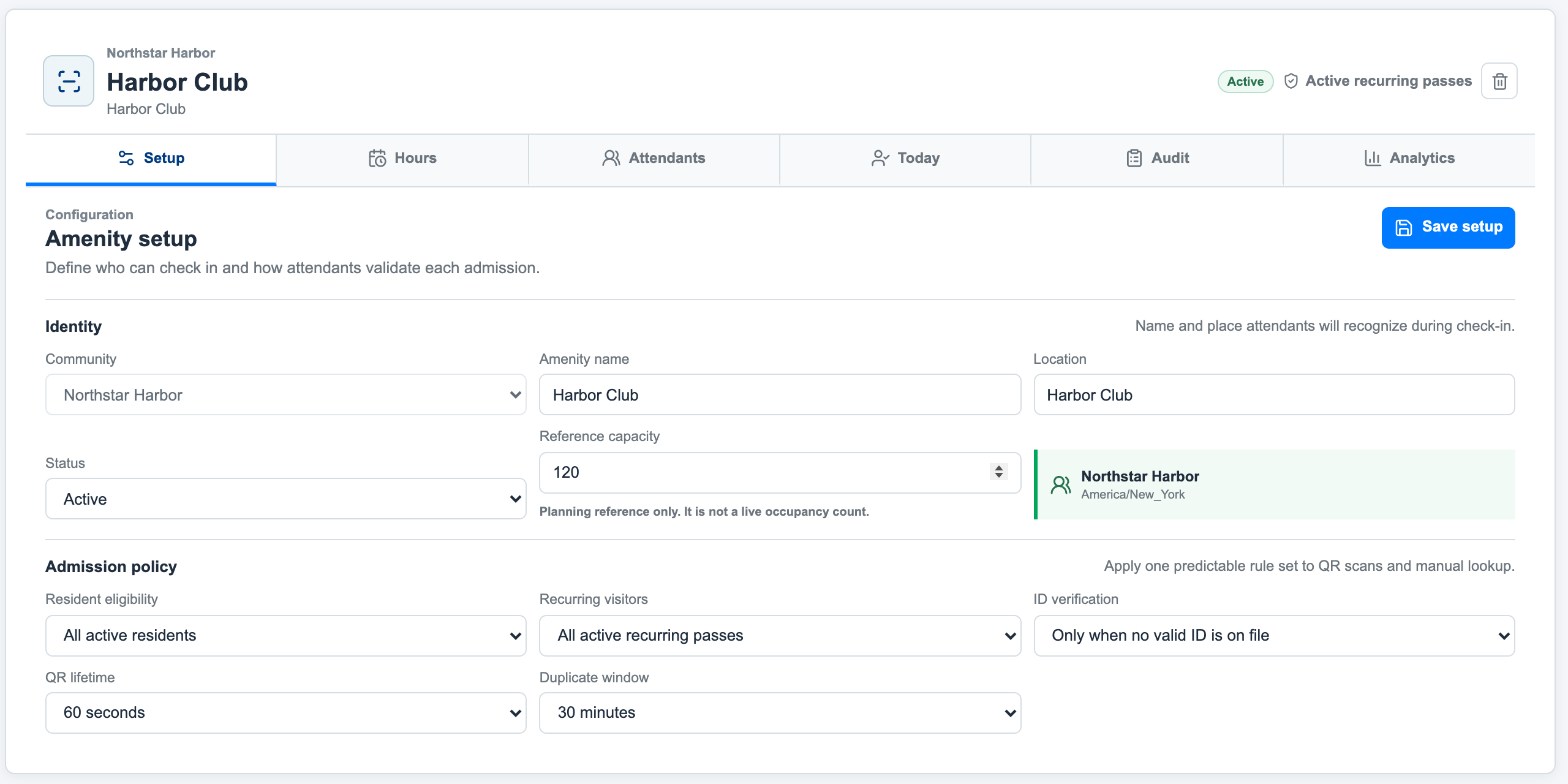
A pool, a tennis court and a clubhouse may each have different hours and guest rules. Manage those policies in one platform, with the information attendants need at check-in.
Reservations help organize when a space is used. Amenity passes establish who may visit. Check-in records show who actually attended, giving staff useful history without relying on paper lists.
Amenity Management is an optional module. Paid access and short-term rental programs can be added to suit your community.
Example: amenity policy settings for a sample community, including guest eligibility and pass rules.